
Guides
Preparing for your child’s eye appointment: history, reports and questions
A useful appointment pack is small enough to review and complete enough to trace a result back to its source. Prepare it before the day of the visit so you can spend the conversation asking questions rather than searching your photo library. Follow the clinic’s own preparation instructions first.
These guides cover record keeping and appointment preparation, not diagnosis or treatment. Sightly does not assess medical risk or recommend treatment. Your clinician interprets examinations and decides care and follow-up timing.
1. Confirm the appointment and the clinic’s instructions
Check the date, location and any documents the clinic asks you to bring. If preparation instructions are unclear, contact the clinic. Do not stop medication, change contact lens wear or arrange extra tests based on this guide; those decisions belong to your care team.
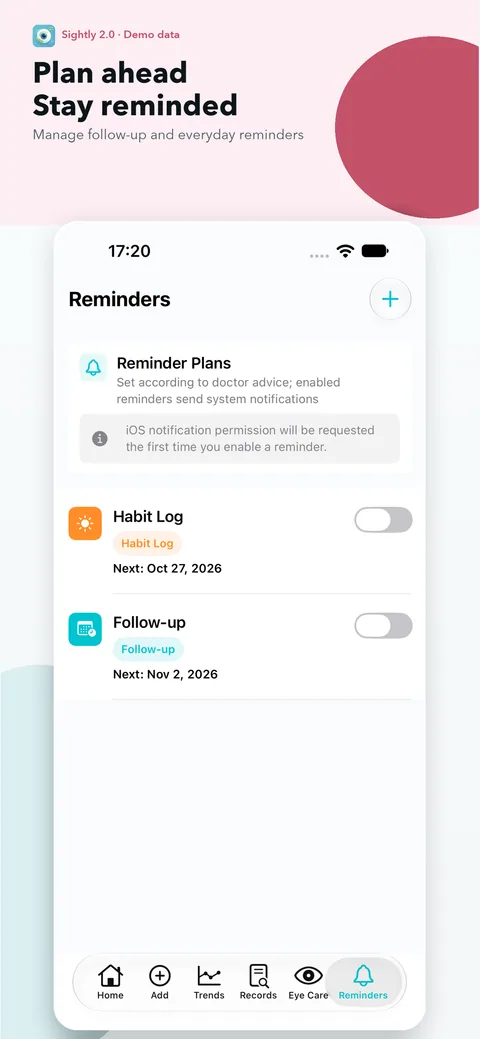
A local reminder can help you remember the visit, but it is not a booking confirmation. Check that the saved reminder date matches the appointment, that notification permission is enabled, and that you have the clinic’s contact details somewhere accessible.
2. Prepare a short examination history
Put the previous examination dates in order. For each relevant visit, include the measurements actually recorded, keeping right and left eyes separate. Retain refraction signs, units and the recorded cycloplegia status. Leave unmeasured or uncertain fields blank or labelled unknown.
Start with the most recent report and the history you want to discuss. A concise list of dates is often easier to navigate than an unlabelled photo album. AAPOS describes eye examinations as the way to establish refractive errors; a home summary is an aid to communication, not another examination. AAPOS: Refractive Errors in Children.
3. Bring originals as well as a summary
Keep readable report photos or original files available on your device, and bring paper reports when the clinic requests them. Include all pages of a report and do not remove labels or footnotes merely to make the page look tidier.
If you use Sightly Plus to export a doctor PDF summary, check the selected child, dates and values before sharing. The summary is not the original report and does not certify the data. Without Plus, you can still bring saved report photos and a short written list. Do not create a public link to private records just to make them easier to access.
4. Note current care and changes in your own words
Write down current glasses, lenses or prescribed care as communicated by the clinician, including start dates where you know them. Keep a separate note of difficulties or questions about following the plan. Do not label a family observation as a measured examination result.
For example: “New glasses collected on August 20; I want to ask about comfort” is a useful dated note. It does not claim the glasses caused a measurement change. If you are unsure how to describe something, record what you observed rather than assigning a diagnosis.
5. Choose a few specific questions
Pick the questions you most want answered and leave room to write the answers. Useful prompts include: Which results can we compare with the last visit? Was refraction measured under the same conditions? What should we bring next time? When should the next appointment be, and whom should we contact with questions?
If a chart or number concerns you, point to the dated record and ask for an explanation. Do not treat a difference calculated by the app as a treatment recommendation. The clinician can explain whether the examination context changes the interpretation.
6. Close the loop after the visit
Save the new report under the actual examination date, check every transcribed value and keep the clinician’s instructions distinct from your own questions. Record the next follow-up time as agreed at the appointment; do not generate one from a generic online schedule.
Before replacing devices or removing the app, export and retain a private backup. Sightly stores records locally and does not automatically sync them between devices. Send a report or summary only when you choose, to the intended recipient. If a concern needs attention before a planned follow-up, contact the appropriate healthcare service rather than waiting for a reminder.
Quick checklist
- Appointment details and clinic instructions confirmed.
- Dated exam history with separate right and left eye values.
- Readable originals, including all report pages.
- Current care notes and changes, with dates where known.
- A few questions and space for the answers.
- Next follow-up instructions recorded after the visit.
Using Sightly
Sightly saves report photos, measurements and doctor notes locally and provides local reminders without an account. Doctor PDF summaries and PDF import are Plus features. The free allowance is 1 child, 10 exam records and 1 report photo per exam. Purchases, restoring purchases and web links use their relevant network services. A reminder or summary does not replace medical care or the original report.
Download Sightly on the App StoreMedical context and sources
AAPOS supplies general examination context. The preparation checklist is the Sightly Team’s organizational guide, not medical advice or a replacement for instructions from your clinic. Use your browser’s print command to print the checklist or the article.
Written by the Sightly Team, the app’s product team. Not a clinician-reviewed medical article.
These guides cover record keeping and appointment preparation, not diagnosis or treatment. Sightly does not assess medical risk or recommend treatment. Your clinician interprets examinations and decides care and follow-up timing.